

Form to booked meeting at a glance
Every form-to-meeting flow in Default runs the same 6 steps:- The Pixel captures the form. The Default Pixel on your page picks up the submission from a plain HTML, HubSpot, or Marketo form. Pardot forms report the submission through the Forms SDK.
- The submission starts a workflow. The workflow’s Form Submission trigger fires for the form, with the visitor’s answers.
- Routing picks the host. The Display Scheduler node uses the event’s hosts, for example a queue that picks the next rep, or a host you choose from workflow data.
- The scheduler opens on the page. A loading indicator in your branding appears, then the calendar opens over your page.
- The visitor books. They pick a time and confirm it. Default books the meeting on the host’s calendar, and the workflow continues on its Booked branch.
- If the visitor doesn’t book, the workflow continues on its Not booked branch, so you can alert the owner or add the lead to a sequence.
What you need before a form can book meetings
Step 1: The Pixel captures the form submission
The Default Pixel is the script you install on your site. It picks up submissions from forms that already exist on your pages. You add each form to Default once with Catalog forms, or create it in Default when catalog mode can’t add it. Then map its fields so submissions land on the right person and company records. See Your forms.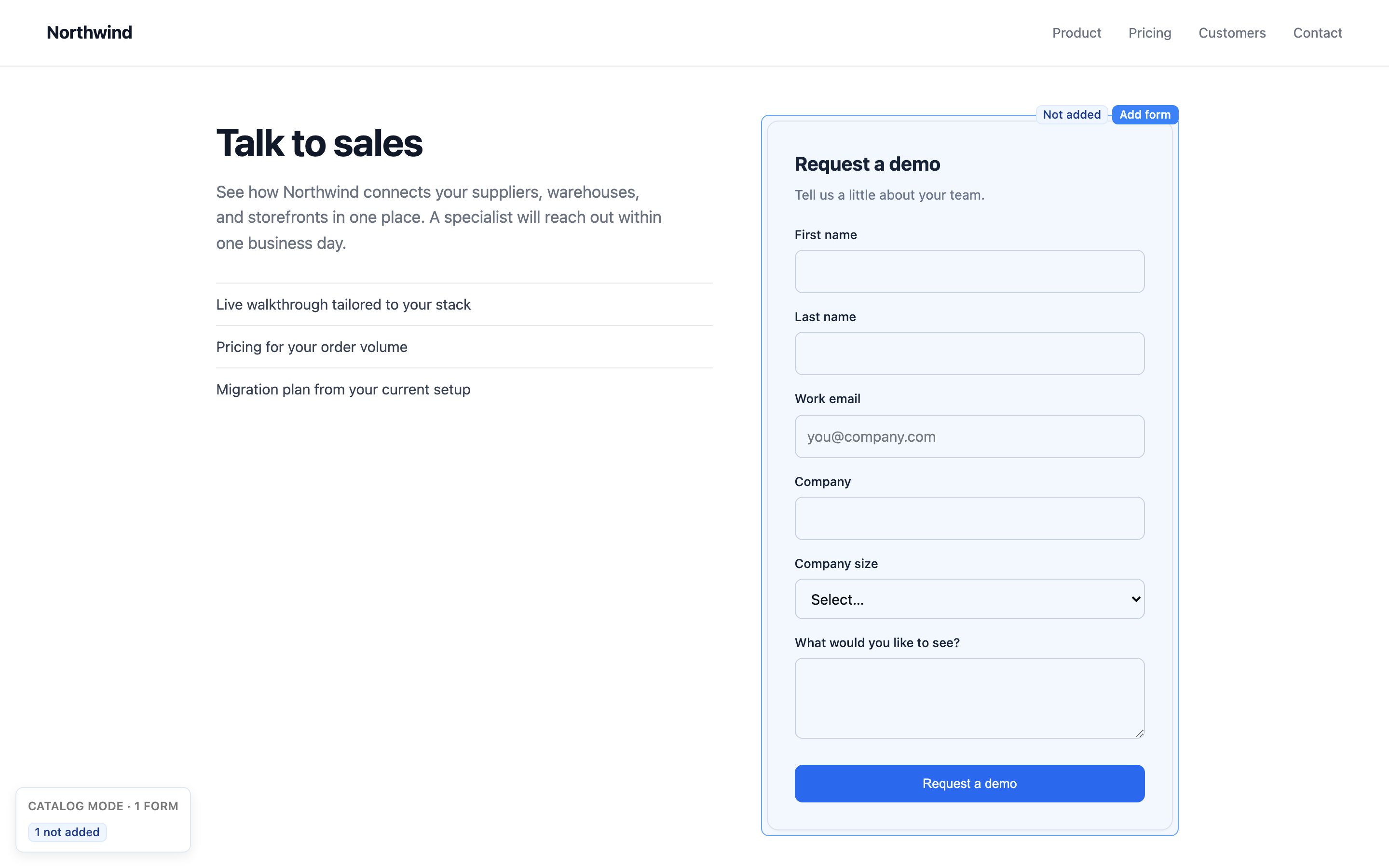
Default drops a submission, and starts no workflow, when:
- The form has not been added to Default, or it is set to inactive.
- Accept submissions is off on the form’s Fields tab.
- The form is limited to specific pages (Track submissions on on the form page), and the page is not one of them.
email, Email, work_email,
Work_email, workEmail, or WorkEmail wins, then a required field, then the first in the form’s
order. Its submitted name must match exactly, including capitalization. If that answer is missing,
blank, or invalid, Default does not try another answer. A cataloged form without an email field
has no submitter identity. Only legacy forms with no field list use named-email, whole-answer,
and free-text discovery. If the field list temporarily cannot be loaded, the workflow stays
blocked while ingestion can use its legacy identity lookup.
Why the handoff is fast
The Pixel does its slow work before the visitor clicks submit:- On page load, it fetches the list of your domain’s forms that are wired to a scheduler, so it knows which submissions to hold on the page.
- When the visitor leaves the email field, it sends the email to Default while the visitor finishes the form. If the form’s workflow has a Match Record node, Default can start that CRM lookup now. If your workspace has a primary waterfall, Default also starts enriching the person.
- On submit, the workflow runs right away and hands the calendar link back in the same response.
How the Pixel keeps the visitor on the page
A form that navigates away after submit would close the scheduler before it opens. For forms wired to a Display Scheduler workflow, the Pixel holds the page:- Plain HTML forms: the Pixel stops the browser from following the form’s
actionURL. Your page’s own submit handlers still run. If another system receives the form through that URL, that post no longer happens, so send the data to that system another way. - Marketo forms: the Pixel tells Marketo to skip the form’s follow-up page.
- HubSpot forms: HubSpot runs its own after-submit behavior. Set the form to show a thank-you message instead of redirecting. See HubSpot forms.
Step 2: The submission starts a workflow
In Workflows, the Form Submission trigger starts a run for every submission to the form you choose in Connected Form. Later nodes can use the submitted answers, plus the page URL, referrer, and UTM parameters. See Form submission.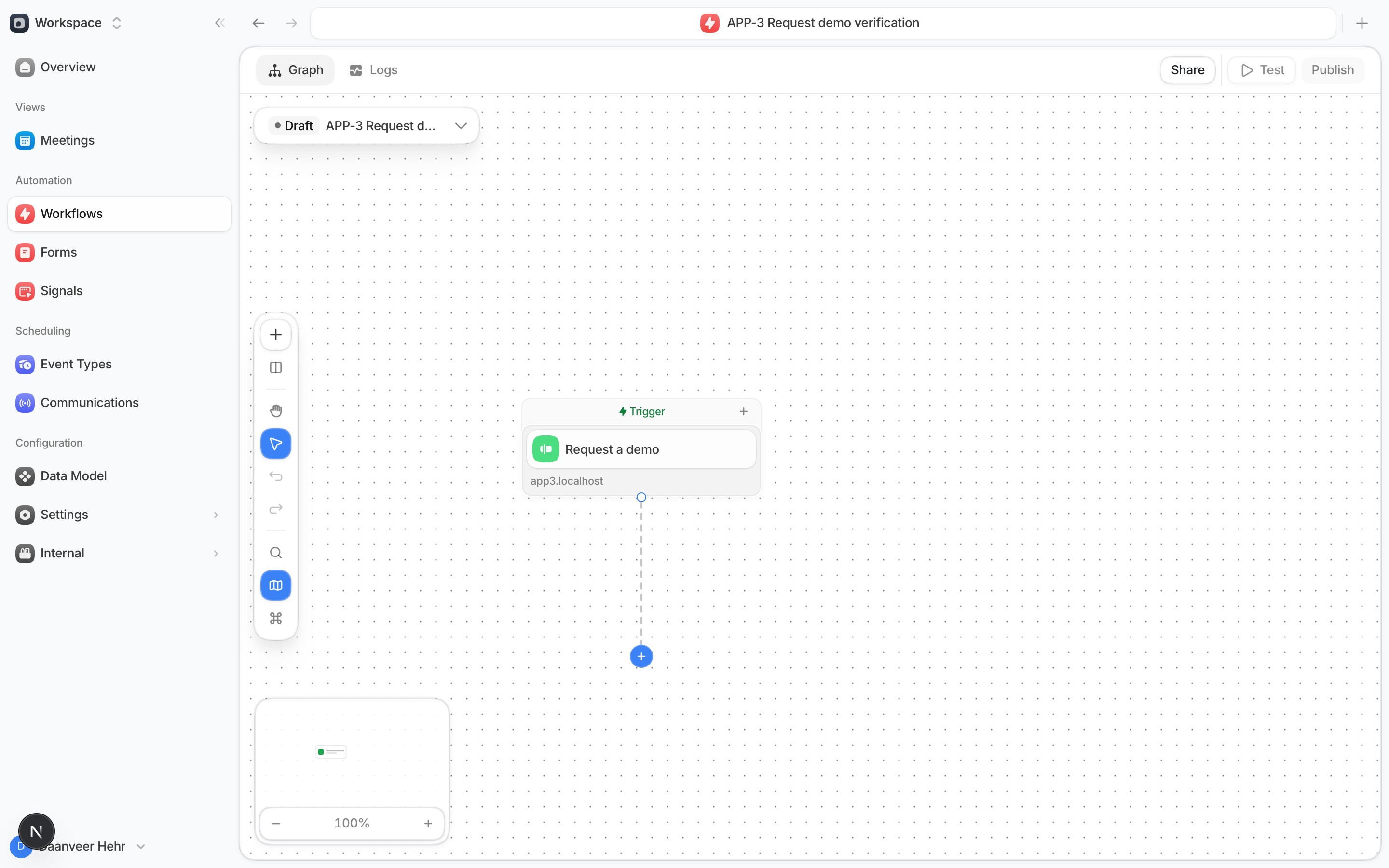
Step 3: Routing picks the host
The Display Scheduler node’s Booking Details section decides who the visitor can book with:
For a queue host, the policy’s Slots Rule sets which times the calendar shows: times when
any active member is free (All Active Members), or 1 member’s times (Single Member).
Include Meetings in the policy’s Assignment Units so the queue counts these bookings.
See Policies.
Step 4: The scheduler opens on the page
After submit, a short loading indicator appears in your booking-page colors, set in Scheduling settings, with your workspace logo. The calendar then replaces it in a full-screen overlay on your page, so by default the visitor stays on the page they submitted from. You can change where the calendar appears:- Inside your page: set
autoDisplayScheduler: { target: "#meeting-section" }in the Pixel install snippet, and the calendar mounts in that element. See The scheduler experience. - On another page: set Redirect to scheduler page on the Display Scheduler node. The Pixel sends the visitor to that URL, and the calendar opens there. That page needs the Pixel installed too.
Step 5: The visitor books the meeting
The visitor picks a time and confirms it. Default already has their email from the form, so there is no second form to fill in. Default then:- Books the meeting on the host’s calendar and applies the event’s calendar invite, notifications, and reminders. See Events.
- Shows the visitor a confirmation page. With Add redirect on meeting booked set, the visitor moves on to that URL after the Redirect delay (10 seconds by default, up to 300).
- Lists the meeting in Meetings.
- Continues the workflow on the Booked branch. Later nodes can use the meeting’s date and time, the event, and the primary and additional hosts.
What happens if the visitor doesn’t book
The Display Scheduler node takes its Not booked branch in each of these cases:
Resume booking only dismisses the reminder. It does not add time.
The submission and the person’s record stay in Default whether or not the visitor books. On the
Not booked branch, the meeting values are empty. Common follow-ups:
- Send the visitor to a thank-you page with Add redirect on meeting not booked. Its URL Parameters can carry values from the workflow.
- Alert the owner with Send Slack message so they can reach out while the lead is fresh.
- Add the lead to a sequence in Apollo, Outreach, Salesloft, or another sequencing tool.
Set up a form that books meetings
This example books every demo request with the next rep in a queue namedInbound AEs.
1
Add the form and map its fields
In Forms, select Create new, then Catalog forms. Add the form on its
page, then map at least the email field in Forms. A mapping belongs to the field name,
so it applies on every form with a field of that name. See
Your forms.
2
Create the event
In Scheduling, create a Team event, for example
30-minute demo. Add the
Inbound AEs queue as a host. See Events.3
Add the trigger
In Workflows, create a workflow and add the Form Submission trigger. Set
Connected Form to the demo request form.
4
Add the Display Scheduler node
Add Display Scheduler. Set Event to
30-minute demo and leave Use event hosts
on. Set a Timeout, and optionally the redirects under Redirect Settings.5
Add the follow-up steps
On the Booked branch, add the steps that depend on the meeting. On the Not booked
branch, add the follow-up for leads who left, for example a Slack alert.
6
Publish, set live, and test
Select Publish, then check that the status next to the
deployment switch reads Live. A new workflow goes live when you first
publish it. If the status reads Paused, turn the switch on.
Submit the form on your live page with a test email. The calendar opens on the page.
Troubleshoot form scheduling
Related: Sales scheduling software from Default