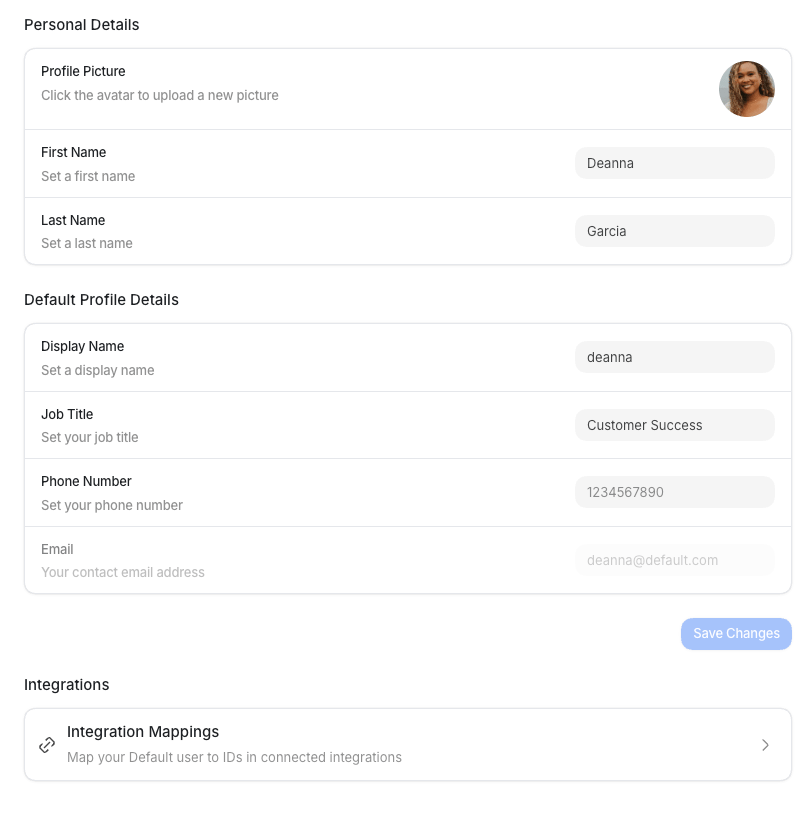
Select Settings in the sidebar, then Profile under Personal.The page has Personal Details, Accounts, Signature, and a link to
Connection Mappings.Personal Details stay staged until you select Save Changes. Default then confirms with “Profile
updated successfully.” Calendar primary, conflict toggle, and remove save as soon as you act.
Remove also disconnects that account from Default. Signature has its own Edit, Save, Use
Signature, and Reset actions.
Personal details
After you save a valid phone number, go to Notifications to turn on SMS
for your user account.
Accounts
Accounts is where you set your Primary Calendar (meetings are booked here) and any Secondary Calendars (conflict checks only). Connect another Google or Outlook account from the primary dropdown or from + Add on secondary calendars. If the account you pick is already connected, Default tells you no new calendar was added.Signature
Save your signature in Settings → Profile → Signature. It is the rich-text sign-off you can include in guest meeting emails. Select Edit to change it and Save to store it; neither waits for Save Changes. Use Signature fills in a suggested signature from your name, job title, phone number, and LinkedIn profile URL. Outside editing, Reset clears the saved signature. While editing, it restores the profile suggestion in the editor without saving it. To insert it into a meeting message email body, open the variable picker and select Scheduling → Primary host → Signature ({{ host.signature }}). Each send uses
the meeting host’s saved signature. If they have not saved one, it is left blank; the profile
suggestion is not sent.
In an event’s Messages → Calendar invite, the calendar description picker also offers
Scheduling → Primary host → Signature ({{ host_signature }}). It uses the primary host’s
saved signature, preserves formatting, and stays blank when they have not saved one.
Connections
The Profile page also links to your personal Connection Mappings. There you map your Default user to your IDs in connected tools, such as your Salesforce or HubSpot user. Select Connection Mappings to open your per-user connections.