
Open Settings from the Dock (the app bar at the bottom of the screen), then select
Notifications under Workspace Settings. This page is visible to admins only. The
page is tabbed by channel: In-App and Slack.
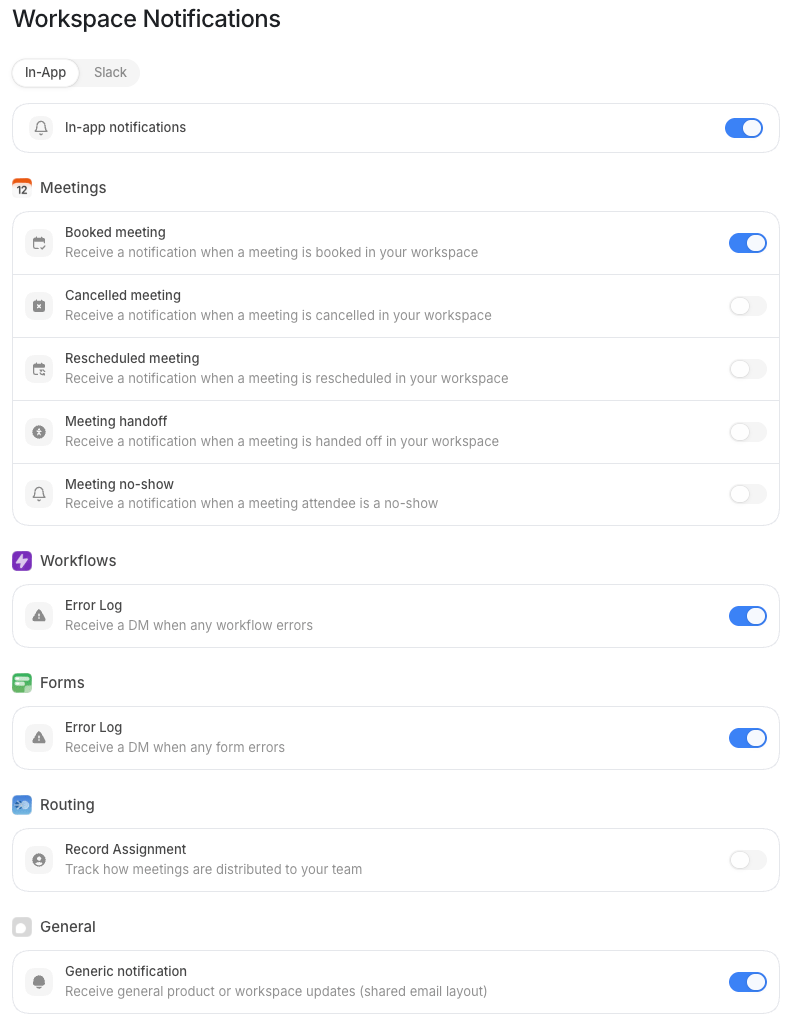
How workspace notifications work
Default uses a three-layer precedence model to decide whether a notification reaches a user:- Workspace channel switch: you turn a channel on or off for the entire org. If a channel is off here, no one on the team receives notifications through it, regardless of their personal settings.
- Workspace per-type defaults: within each enabled channel you set which notification types are on by default for the org. Users inherit these defaults.
- User preferences: each user can adjust their own settings within what the workspace allows. They can turn a type off, but they cannot turn on a channel or type that the workspace has disabled.
The workspace page exposes In-App and Slack only. Individual users also see
Mail and SMS tabs on their personal Notifications page. Mail and SMS are
per-user channels, there are no org-level on/off switches for them here.
Channel tabs
Select a tab to configure that channel. Each tab has the same structure: a master channel switch at the top, then the list of notification types below it.In-App
In-App notifications appear inside the Default product, typically as in-product alerts or banners. Toggle In-app notifications at the top of the tab to enable or disable the entire channel for the workspace.Slack
Slack notifications are sent to Slack channels you choose, one per notification type. The Slack tab is only actionable once your workspace Slack integration is connected. If Slack is disconnected, the tab shows a prompt to connect it via Integrations first. Once connected, toggle Slack notifications to enable the channel, then configure each type individually. When a type is enabled on the Slack tab, a Slack channel selector appears inline so you can direct that notification type to a specific Slack channel, for example, route all Workflow errors to#ops-alerts.