
Open Settings from the Dock (the app bar at the bottom of the screen), then select
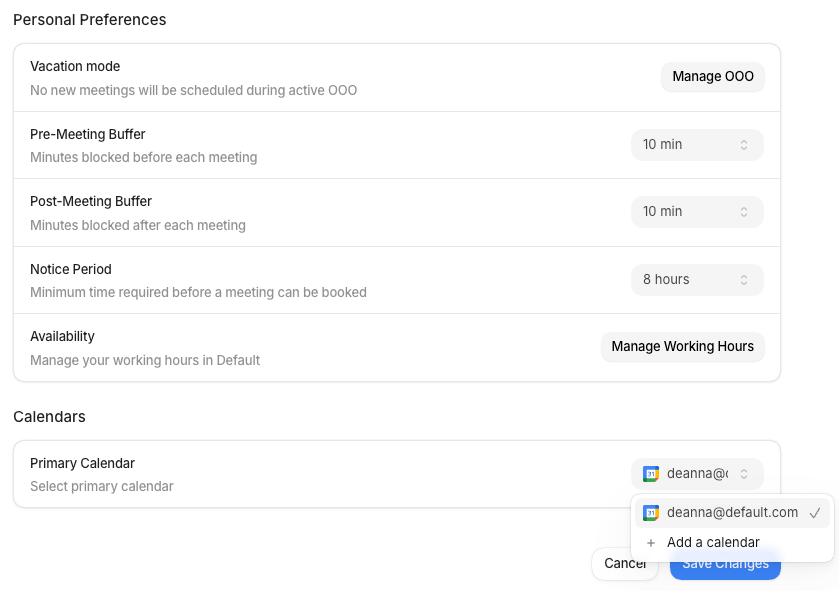
My Calendar under My Profile. The page has two sections: Personal Preferences
and Calendars. Select Save Changes when you’re done, or Cancel to discard
edits.
Personal preferences
Personal Preferences holds the scheduling controls that apply across your events, plus a shortcut to your work hours.Buffers and the notice period apply across all events you host. If you need different
settings for a specific event type, those can be configured on the event itself in
Scheduling.
Calendars
Calendars sets which connected calendar receives your new meeting invites.Work hours and out of office
Two linked pages manage the schedule behind your availability:- Work Hours: set the days and times you’re open for bookings. Default uses your primary schedule to generate the open slots on your events.
- Out of Office: block date ranges when you’re away. While a block is active, Vacation mode pauses new bookings for those dates.