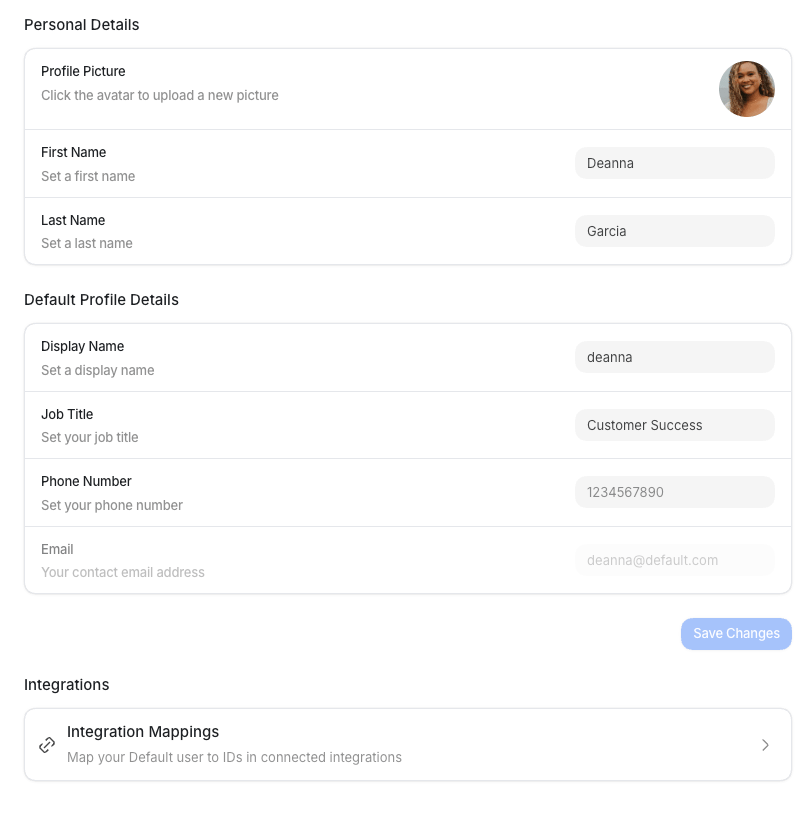
Open Settings from the Dock (the app bar at the bottom of the screen), then select
Profile under My Profile. The page has three sections: Personal Details,
Default Profile Details, and Integrations. Edits are staged until you select
Save Changes, and Default confirms with “Profile updated successfully.”
Personal details
Default profile details
After you save a valid phone number, go to Notifications to turn on SMS
for your user account.
Integrations
The Profile page also links to your personal Integration Mappings, where you map your Default user to your IDs in connected integrations, such as your Salesforce or HubSpot user. Select Integration Mappings to open your per-user integrations.